New tech blog!

So I decided to stop with the “Tech Tangents” already. I had an old blog years ago which was basically my Japanese practice notebook typed up and posted online. Last week while dealing with a friend’s tech support issue, I decided to write up my experience. Then, since I am a glutton for punishment, I decided to also write it up in Japanese. After I did that, I thought, “hey, remember your old Japanese blog? Post ‘er there!”

studiozBlogPost

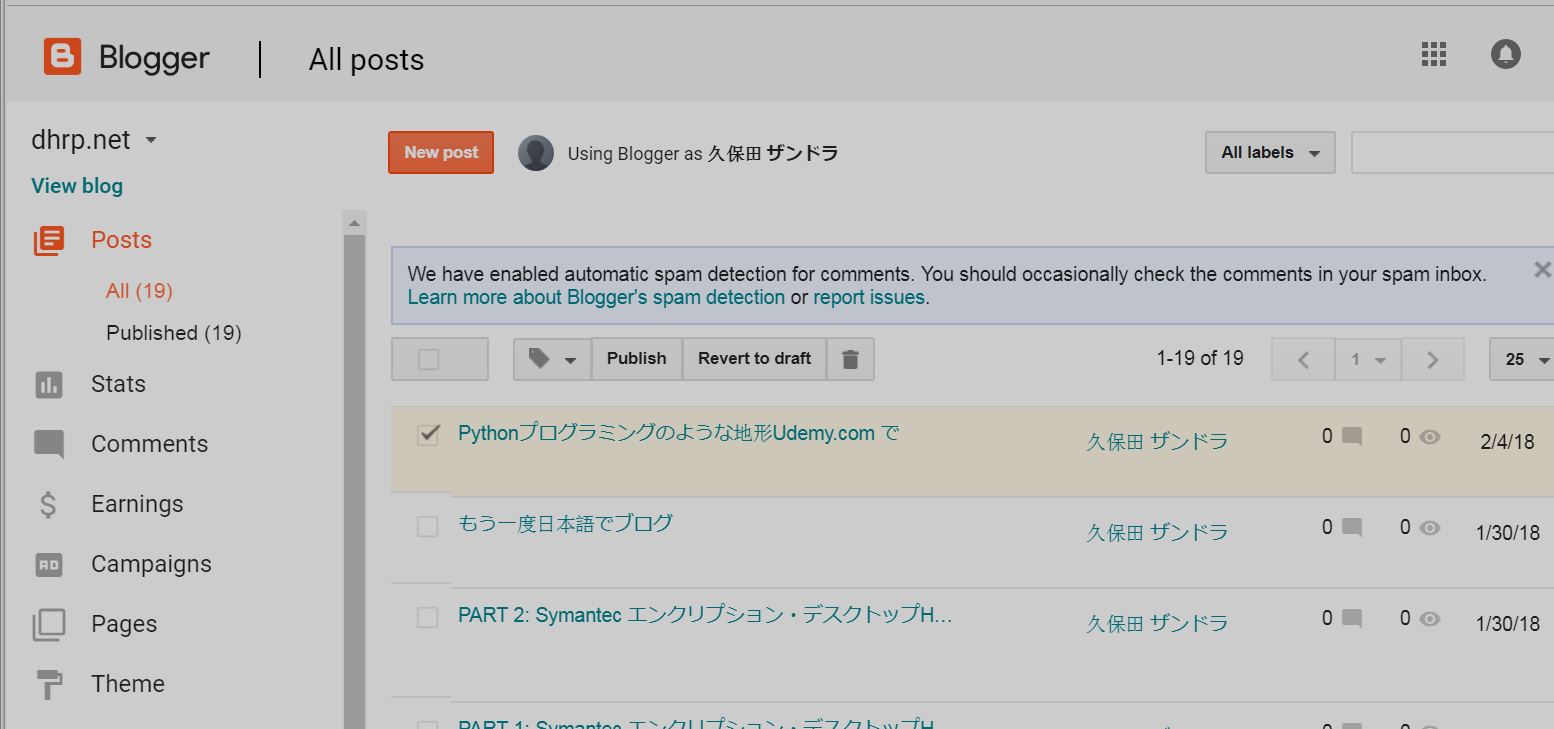
From now on, I’ll endeavor to keep my techie stuff separate from my art stuff in this way. I think that forcing myself to write in both English and Japanese will keep me from getting too deeply involved in tech blog posts because of the level of difficulty. I also used my dad’s old domain name, dhrp.net , to redirect to my Blogger page:

dhrp.net

Pythonプログラミングのような地形Udemy.com で

(Adapted from the original English post at https://studiozandra.com/tech-tangent-python-on-linux-here-we-go/ )
子供の時に 本 いっぱい読んで 将来に学科になるつもりだった。 高校に入ると 美術 にしたけど、 まだ掌篇小説(しょうへんしょうせつ)や詩を書いていた。 いろんな興味がいっぱいありすぎて しまった!
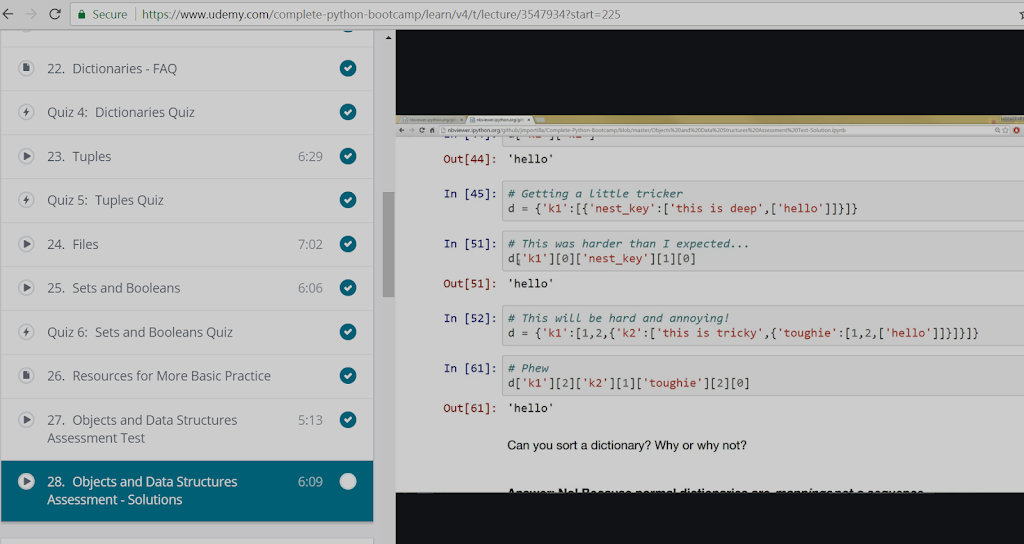
テクノロジーについてを読むのが大好き。 最近 Python というプログラミング 言語 を学ぼうとしてる。 ブートキャンプのような地形は 高すぎて できないので オンラインをコースを受けている。Udemy.com で “Complete Python Bootcamp: Go from Zero to Hero in Python” と言うコース 9.99ドル 登録 することができた。
Udemy パイソン コース

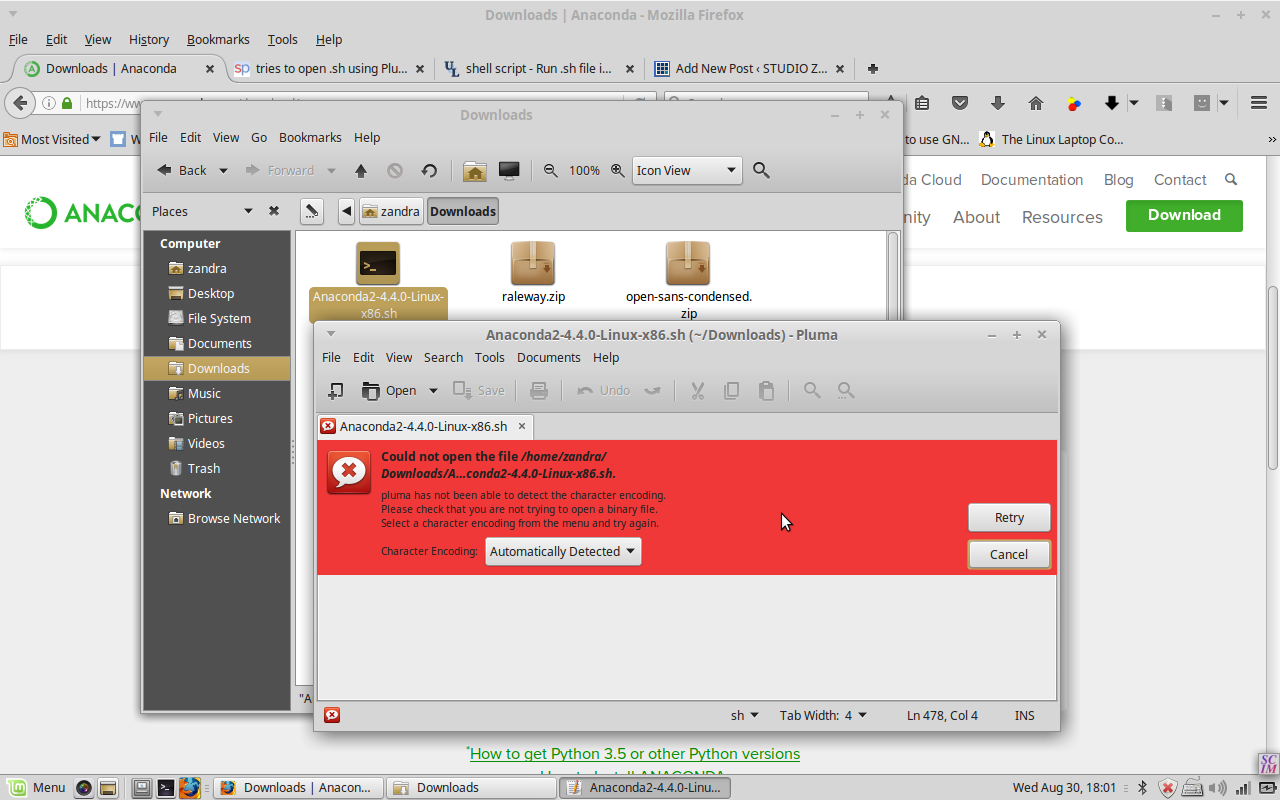
本気でやらないと思ってしまって Windows じゃなくて Linux でやろう とした。 それで一番最初の 段階で 困った。 このコースの中で ジュピター ノートブック(Jupyter Notebooks) という Web サービスを よく使うので、 インストールしないといけなかった。 アナコンダ というツール を使って、 ジュピターと Python 両方で インストールできて便利です。 そして Jupyter.org に行って ファイルをダウンロードして ダブルクリックした。 けどこういう赤い色のエラーが出てしまった。

問題は Linux ちゃんは text editor  でそのファイルを開こうとしてた。 ウェブ検索してから スタック エクスチェンジ stackexchange で正しい 仕方 を学んだ。

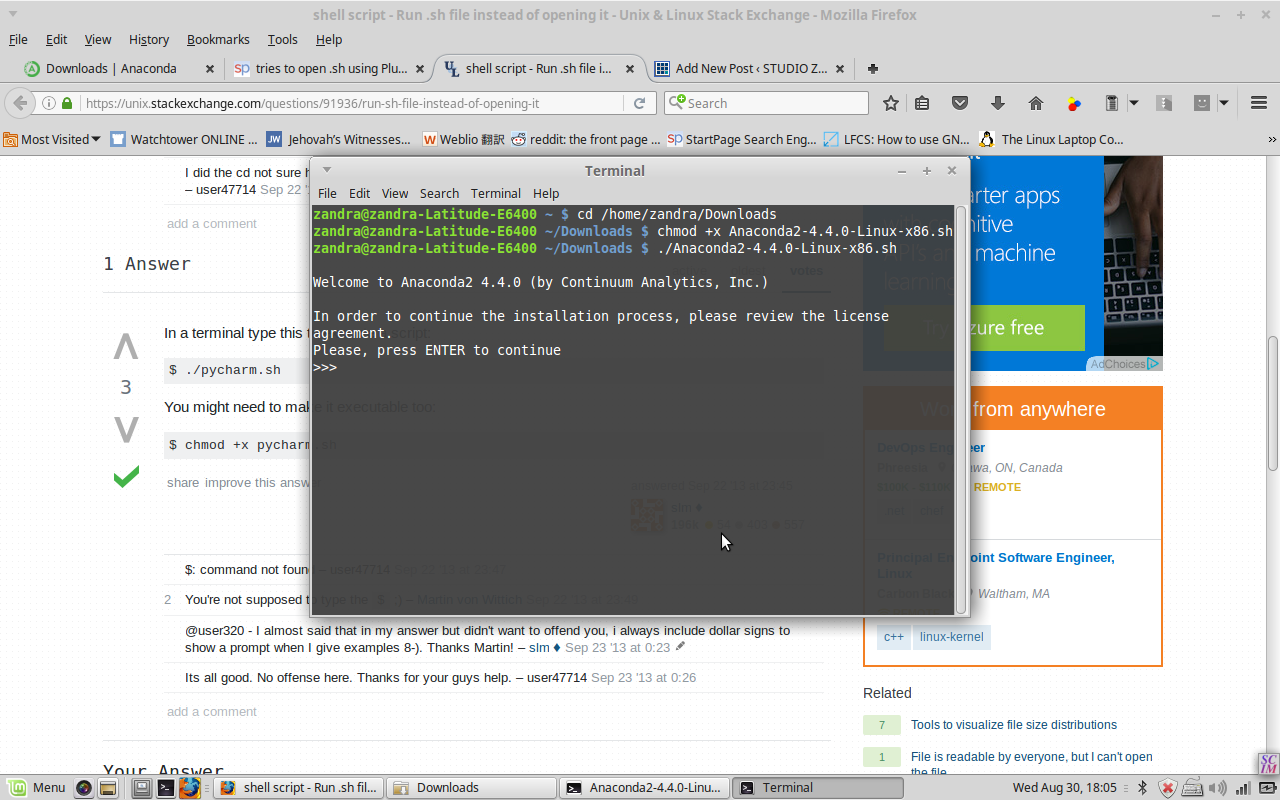
.sh ファイルを ターミナル(terminal)の中 そのダウンロードした ダイレクトリー に行って  chmod のコマンド をしないといけない。

それが終わってから 新しいターミナルを開いてjupyter notebook を書くと、 ブラウザタブが 自動的に 出て 自分の全部の ローカルフォルダ 見るようになった。

Python でコマンドを書いて Shift+Enter 起こしてすぐ ラン ができる。

もう一度日本語でブログ

ちょっと年取ったり違う国に住んだり 違う仕事を している状態になってるけど まだ 日本語 で遊んでいる。 今ハワイに住んでるので 日本語を使う経験 は すごい 増やした。 話すのはあまり問題ないけど帰ったり読んだりするのがまだ難しいです ので もうちょっと練習しなきゃいけない と思った。 日本語の辞典 ウェブサイトとアプリ。。。

http://ejje.weblio.jp/

http://takoboto.jp/
https://www.facebook.com/pages/Takoboto/257922567700189

。。。を 使って これから 書きます!

PART 2: Symantec エンクリプション・デスクトップHDDをリカバーする

既に インストール ができた . 次は public  キー と secret キー インポートする 。
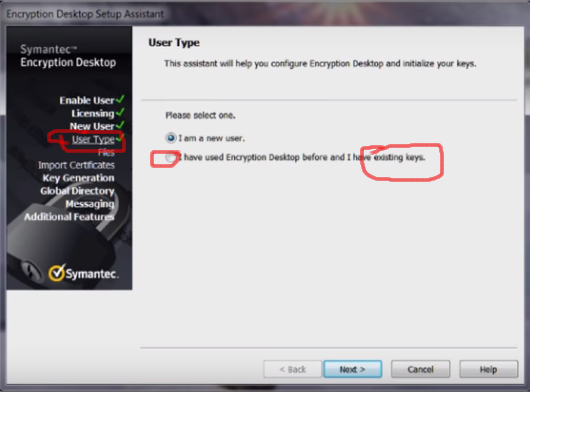
セットアップ  アシスタント というウィザード の 窓の 左側 を見たら、ユーザータイプ と言う 部分 がある 。
 そこでニューユーザーじゃなくて、  existing keys を選んだ 。プロンプト の流れ で .pkr と .skr ファイルのフォルダー を選んだ。
そして彼女の古いハードドライブ を S ATA ケーブル で 繋いだから 「enter passphrase to access disk」っていうメッセージが出た。 私は視線をそらしながら 彼女がパスワードを入れてそのHDのホールダが段々出てきた!!🙌
~fin~
English post at Symantec Connect Forums:
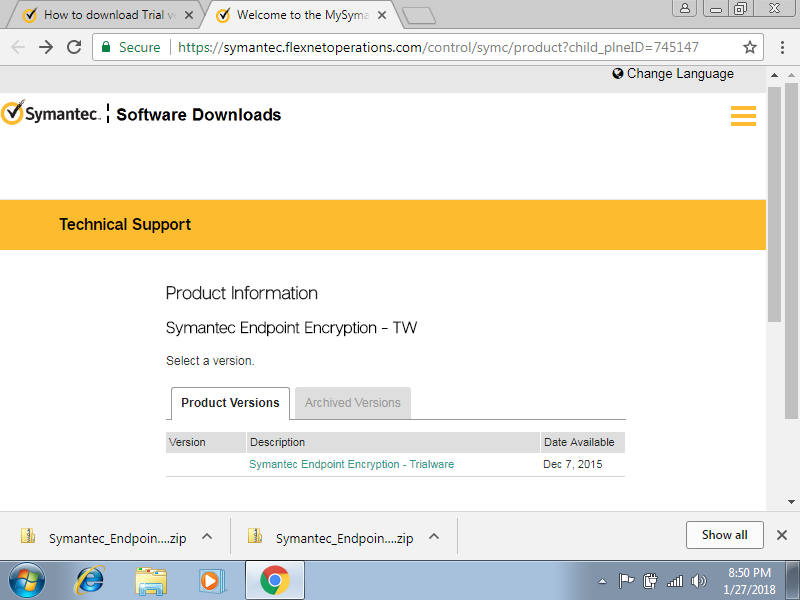
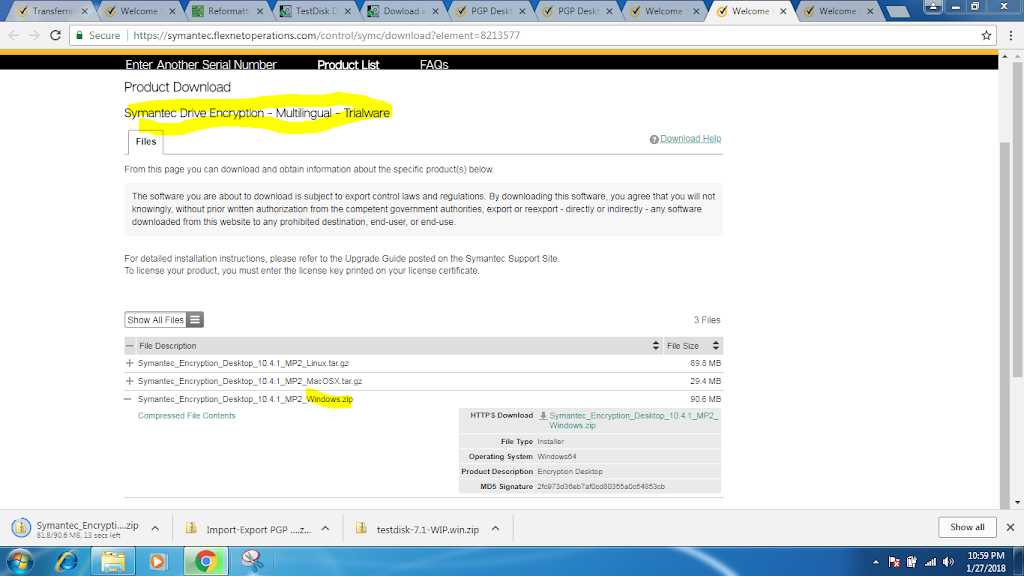
This community for the most part already knows that Symantec PGP Desktop was replaced by Symantec Encryption Desktop, but to someone encountering this software for the first time, this is not obvious. Clicking a Symantec Trialware link, the very next page is a registration form, and then a download for Symantec Endpoint Encryption TW. So as a layperson, I assume that the old PGP product name was changed to SEE, click “download,” and struggle to install the thing. After finally installing .NET, the dependent SEE Mgr and MSI, then the Client in serverless mode, I hit a brick wall. Going back to the forums it was dawning that NONE of the 3 packages I’d downloaded was the right one. Another commenter had posted the correct link and I finally downloaded the SED trialware but it wouldn’t execute, and so I posted the previous questions.

Meantime I started looking into other workarounds, wondering, “Is Symantec PGP Desktop  proprietary encryption? Or, as long as I have the keys and passphrase, can I use any software on any platform to decrypt?” I read the Wikipedia entry on PGP and confirmed I’d gotten the software names confused (easy to do!)
I did another Google search regarding the SED installer which would not open: I think the registry might have been corrupted by the brute uninstall of the SEE Client, so I tried 64-bit on a different laptop and it opened and installed fine!
Then there was the problem of the license key…
At first, like these commentors, I thought there was no way to activate using the product key I received in my trial email.  
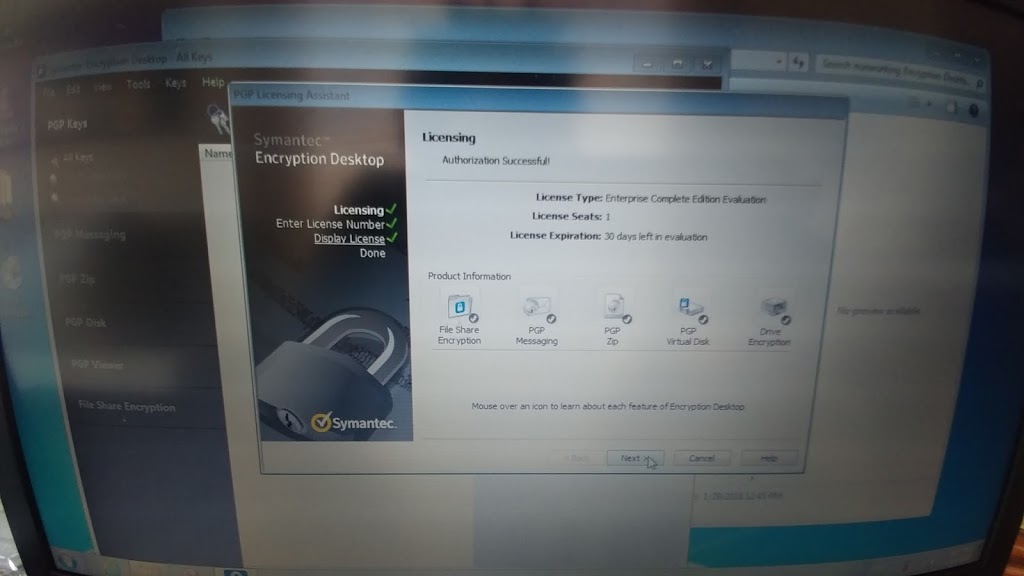
The “thank you for trying SEE (confusing wrong product name again)” email sends a temporary product key that is too long to fit in the allotted spaces. A video instructionn said to paste the whole thing, but I was on a separate machine from my email, so I just typed.  But it worked — just cut the key in half and copy the latter half of digits only. (They email you a 12-segmented license key, but only use the last 6 segments.)
After installing and licensing, in the User Type section don’t select New User. Rather, select Existing Key option. Then follow the prompts to browse to the directory containing your original .pkr and .skr files. We plugged in the old HD with a SATA USB cable and a pop-up appeared “Enter passphrase”. So we were able to recover all her data.
(In case anyone else comes across this same situation — that is, having keys and passphrase but cannot get an old copy of PGP Desktop or a working trial copy of SED — try looking into other software, such as GPG Suite (Mac) or GNU Privacy Guard (GnuPG, Linux) for recovery. See this discussion: https://gpgtools.tenderapp.com/discussions/problems/964-migrating-from-pgp-to-gpg-import-private-key
and this https://www.dewinter.com/gnupg_howto/english/GPGMiniHowto.html#toc3.3 (Import key, no graphical interface though)
Maybe even try to import the key into the old PGP Desktop for Windows? **I cannot vouch for this site bc I haven’t tried it!** https://pgp.en.softonic.com/?ex=DSK-347.2
Perhaps someone more knowledgeable could comment on this ‘decrypt by importing keys into other software’ option.)

PART 1: Symantec エンクリプション・デスクトップHDDをリカバーする

すごい 大変な経験あったけど、すごい勉強になりました 。
エンクリプションについて いっぱい学んだので ここに述べたいと思います。   シマンテック のエンクリプションデスクトップ(Symantec Encryption Desktop) の件です。 友達のノートパソコンが動かなくなって  修理しようと しました。
彼女の主人が 何か変なポップアップをクリックしてしまって ラップトップが おかしくなりました*
*彼女のラップトップたんですけど仕事のためにお客さんのデータを守るためにエンクリプションしないといけないって言われて しょうがなかった。
でもこれは7年前 の買った古いラップトップ だったので インストールしてくれた人はもう 連絡できずに 私と 私の主人に 頼んで いることになった。
 一つ のバックアップを持ってた。 そのバックアップは 1年前で 古かったけど、 PGP の パブリックキーと シークレットキー(.pkr/.skr file)は 入ってた (PGP というフォルダの中に入ってた)。
「 じゃあ、 ラップトップから古い SDD を外して 新しい Windows 7の インストール して そして もう一度 Symantec
エンクリプションデスクトップを 新しくインストールして から そのkeyを インポートすることができるでしょう」 と思ってしまいました。
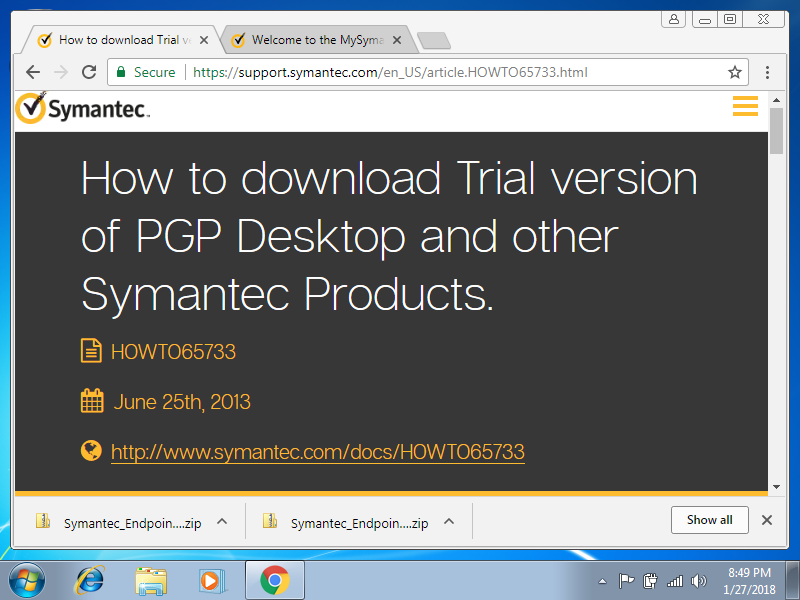
彼女はそのインストール CD もう持ってませんでした それで ダウンロードしよう して symantec.com に調べに行った 。サポートリンク で pgp Desktop の無料 トライアル バージョン をクリックして。。。
。。。ダウンロードページ に行かれて から「あれ 、これって PGP デスクトップじゃない !」
シマンテックエンドポイントエンクリプション ( Symantec
Endpoint Encryption) しかなかったので、それをダウンロードした。
数時間後 全然違うソフトをインストールしてしまって いたことを 気づいた。 シマンテックエンドポイントエンクリプション (Symantec
endpoint encryption) ではなくて、PGP Desktop の名前が 変わって Symantec Encryption
Desktop という名前になっています。
ダウンロードした後に「 thank you for trying Symantec Endpoint Encryption 」(違う 名前)のメールが来た。
そのメールの中 ライセンスキー は入っいる けど長すぎて 入れる場所をないと思った 。


しかし半分だけのコードを使ったら うまくいけた。 後半 の部分 だけ入れて、 30日間の フリー トライアルが残ってます というメッセージがあった。
続く。。。
My English post from Symantec Connect forums:
Attempting to reinstall Symantec PGP Desktop for a friend whose laptop quit booting properly after her husband “clicked ‘OK’ on a strange-looking” dialog pop-up.  Toshiba Satellite A665, pretty old machine but still meeting her needs just fine. She’s an independent contractor who was required to have encryption installed on her personal laptop, but the original consultant/vendor who did the install is long out of business.
She has a folder marked “PGP” containing 2 files ending in .pkr and .skr which I think are the keys, and she still remembers and uses her password daily so that’s not a problem.  So I thought I could try to find the trial version/old version of PGP Desktop installer, download, and install to a fresh drive in the same laptop, and import this key, slaving the old SSD with a cable.
Wrong! Hours later and I’ve only just realized that I probably have the wrong software (did PGP Desktop product name change to Symantec Endpoint Encryption, or is it now called Encryption Desktop??? If so, how do I download it?), not to mention I don’t know which version except that it’s from 2011.
So I just uninstalled both SEE Management Agent and SEE Client (…I think!  I got this error: “Error Disk is still encrypted. Uinstallation aborted.”  https://www.symantec.com/connect/forums/see-management-agent-failure?ts=1517136170 but I THINK I fixed that by using Revo Uninstaller because SEE Client is finally gone from the Uninstall Programs list).  I am back to square one.
1. Should I be using Encryption Desktop and if so where can I find a copy? I thought I found it here, but after extracting I click on it it and nothing appears (Task Mgr says it’s running, though!): https://symantecesd.flexnetoperations.com/208927/9…
2. After I get Encryption Desktop installed, how to import the .pkr and .skr files? Or will the original password be sufficient?
To be continued…