Repetitive emails? Let AI reply for you (part 2)

IMPORTANT NOTE: This script will analyze the email, determine which reply from a set of templates is most appropriate, then customize that reply as needed for that particular customer/inquiry, adding in the customer’s name and adding your desired email signature. Then it will forward that generated reply back to you at the same address, for human review (as in-line text). You still need to then send the generated reply, it will NOT do the sending for you.

So we’ve refined the previous script a bit to add a JSON file full of reply templates. Now there’s a JSON added to the template literal prompt for {templateOptions}, which is then passed to the LLM.


The context size is increasing but the tradeoff is that we are getting increased functionality from our auto-responder (only intended for nuisance, non-sensitive emails or in line with your company security policy):

// Global variable to cache the loaded reply templates to avoid re-reading the file on every function call.
var cachedReplyTemplates = null;

/**
 * Main function to process forwarded emails.
 */
function processForwardedEmails() {
  try {
    console.log("Starting email processing...");

    var allThreads = [];
    var start = 0;
    var maxBatch = 100; // Process 100 threads at a time

    // Search for UNREAD emails that don't have "AUTOMATED REPLY" in the subject
    var searchQuery = 'is:unread -subject:"AUTOMATED REPLY"';

    do {
      var threads = GmailApp.search(searchQuery, start, maxBatch);
      allThreads = allThreads.concat(threads);
      start += threads.length;
      console.log("Found " + threads.length + " unread forwarded threads in batch, total " + allThreads.length);
    } while (threads.length === maxBatch);

    console.log("Total threads to process: " + allThreads.length);

    for (var i = 0; i < allThreads.length; i++) {
      var thread = allThreads[i];
      var messages = thread.getMessages();
      var latestMessage = messages[messages.length - 1];

      console.log("Processing email " + (i + 1) + ": " + thread.getFirstMessageSubject());
      console.log("From: " + latestMessage.getFrom());
      console.log("Is unread: " + thread.isUnread());

      // Extract original subject from the forwarded email content
      var originalSubject = extractOriginalSubject(latestMessage.getPlainBody(), thread.getFirstMessageSubject());
      console.log("Original subject: " + originalSubject);

      // Generate reply using Gemini
      console.log("Generating reply...");
      var reply = generateReply(latestMessage.getPlainBody());
      console.log("Reply generated, length: " + reply.length);

      // Send the generated reply back to you for review
      console.log("Sending reply to self...");
      sendReplyToSelf(originalSubject, latestMessage.getPlainBody(), reply);
      console.log("Reply sent!");

      // Mark as read, but DO NOT archive the email
      thread.markRead(); // First, mark as read
      console.log("Email marked as read.");
    }

    console.log("Processing complete!");
  } catch (error) {
    console.log("Error: " + error.toString());
    console.log("Stack trace: " + error.stack);
  }
}

/**
 * Extracts the original subject from a forwarded email's body.
 * @param {string} emailBody The plain text body of the email.
 * @param {string} forwardedSubject The subject of the forwarded email from Gmail.
 * @returns {string} The extracted original subject.
 */
function extractOriginalSubject(emailBody, forwardedSubject) {
  // Try to find "Subject:" in the forwarded email body
  var subjectMatch = emailBody.match(/Subject:\s*(.+)/i);

  if (subjectMatch && subjectMatch[1]) {
    return subjectMatch[1].trim();
  }

  // Fallback: remove "Fw:" or "Fwd:" from the Gmail subject
  var cleanedSubject = forwardedSubject.replace(/^(Fw:|Fwd:)\s*/i, '').trim();
  return cleanedSubject;
}

/**
 * Loads reply templates from the 'replies.json.html' file.
 * Caches the templates after the first load for efficiency.
 * @returns {object} An object containing the reply templates.
 */
function loadReplyTemplates() {
  if (cachedReplyTemplates === null) {
    try {
      var jsonString = HtmlService.createTemplateFromFile('replies.json').evaluate().getContent();
      cachedReplyTemplates = JSON.parse(jsonString);
      console.log("Reply templates loaded from replies.json.html");
    } catch (e) {
      console.error("Error loading or parsing replies.json.html: " + e.message);
      throw new Error("Failed to load reply templates. Please ensure 'replies.json.html' exists and contains valid JSON.");
    }
  }
  return cachedReplyTemplates;
}

/**
 * Generates a reply using the Gemini API, selecting from a set of pre-defined templates.
 * @param {string} emailBody The plain text body of the email to respond to.
 * @returns {string} The customized reply generated by Gemini.
 */
function generateReply(emailBody) {
  try {
    // IMPORTANT: Ensure you have your GEMINI_API_KEY set in Script Properties (File > Project properties > Script properties)
    var apiKey = PropertiesService.getScriptProperties().getProperty('GEMINI_API_KEY');

    // Ensure API Key is available
    if (!apiKey) {
      throw new Error("GEMINI_API_KEY is not set in Script Properties.");
    }

    // Load all available reply templates
    var templates = loadReplyTemplates();

    // Convert templates object to a string for the prompt
    // This provides Gemini with the full list of options and their content
    var templateOptions = JSON.stringify(templates, null, 2); // Pretty print for readability for AI

    var prompt = `You are an email assistant for TechCorp Solutions. Your task is to select the most appropriate pre-written reply template based on the content of the email and then customize it.

Here are the available reply templates, identified by their keys:
${templateOptions}

Instructions:
1.  **Analyze the "EMAIL TO RESPOND TO" carefully.**
2.  **Determine which of the provided templates is the best fit for the email's intent.**
3.  **Extract the sender's first name, product/service name (if mentioned, otherwise "not specified"), and company name (if mentioned, otherwise "not specified") from the email.**
4.  **Populate the chosen template's placeholders ({customerName}, {productName}, {companyName}, etc.) with the extracted information.** If a placeholder's information is "not specified", omit that part of the sentence or use a polite general phrase where applicable.
5.  **If no template is a good fit, respond with "noMatch".** In this case, provide a polite generic response that asks for more information.
6.  If the email is clearly not about the specific topic of the chosen template, politely redirect them to use the standard template but mention their specific topic.

EMAIL TO RESPOND TO:
${emailBody}

YOUR RESPONSE FORMAT:
Chosen Template Key: [Key of chosen template, or 'noMatch']
Customized Reply: [The full customized reply based on the chosen template and extracted info, or the generic response if 'noMatch']

Example of expected output if a template is chosen:
Chosen Template Key: pricingRequest
Customized Reply: Hello John, Thank you for your interest in our cloud hosting services. Our pricing starts at $99/month for the basic plan and $299/month for premium features. I'll send you a detailed quote within the next business day. You can also view our pricing at www.techcorp.com/pricing. Best regards, Sales Team

Example of expected output if customer name is not specified:
Chosen Template Key: generalInquiry
Customized Reply: Hi there, Thank you for reaching out to TechCorp Solutions. We have received your inquiry and will respond within 24 hours. For urgent matters, please call our support line at 555-0123. Best regards, Customer Service Team

Example of expected output if 'noMatch' is chosen:
Chosen Template Key: noMatch
Customized Reply: Dear Sender, thank you for your email. To assist you further, please provide more details about your inquiry.

---
Chosen Template Key:`; // Start the prompt to guide Gemini's output format

    var payload = {
      'contents': [{
        'parts': [{
          'text': prompt
        }]
      }]
    };

    var options = {
      'method': 'POST',
      'headers': {
        'Content-Type': 'application/json',
      },
      'payload': JSON.stringify(payload)
    };

    var response = UrlFetchApp.fetch(
      `https://generativelanguage.googleapis.com/v1/models/gemini-1.5-flash:generateContent?key=${apiKey}`,
      options
    );

    var data = JSON.parse(response.getContentText());

    if (data.candidates && data.candidates[0] && data.candidates[0].content) {
      var geminiOutput = data.candidates[0].content.parts[0].text;

      // Parse Gemini's structured output
      var lines = geminiOutput.split('\n');
      var chosenKey = '';
      var customizedReply = '';

      for (var i = 0; i < lines.length; i++) {
        if (lines[i].startsWith('Chosen Template Key:')) {
          chosenKey = lines[i].replace('Chosen Template Key:', '').trim();
        } else if (lines[i].startsWith('Customized Reply:')) {
          customizedReply = lines[i].replace('Customized Reply:', '').trim();
          // Concatenate remaining lines if the reply spans multiple lines
          for (var j = i + 1; j < lines.length; j++) {
            customizedReply += '\n' + lines[j].trim();
          }
          break; // Stop after finding the reply
        }
      }

      if (chosenKey === 'noMatch') {
        console.log("Gemini determined no suitable template. Generic reply generated.");
        return customizedReply; // Return the generic response
      } else if (templates[chosenKey]) {
        console.log("Gemini chose template: " + chosenKey);
        // Gemini is now responsible for populating the variables within the 'Customized Reply'
        return customizedReply;
      } else {
        console.warn("Gemini suggested an unknown template key: " + chosenKey + ". Returning generic error reply.");
        return "Error: Gemini suggested an invalid template or failed to choose. Please check manually.";
      }

    } else {
      // Log more details if the Gemini API response is not as expected
      console.log("Unexpected Gemini API response structure: " + JSON.stringify(data));
      return "Error generating reply - please check manually";
    }

  } catch (error) {
    console.log("Gemini API error: " + error.toString());
    return "Error generating reply: " + error.toString();
  }
}

/**
 * Sends the generated reply back to your specified email address for review.
 * @param {string} originalSubject The subject of the original forwarded email.
 * @param {string} originalBody The plain text body of the original forwarded email.
 * @param {string} generatedReply The reply generated by Gemini.
 */
function sendReplyToSelf(originalSubject, originalBody, generatedReply) {
  var subject = "AUTOMATED REPLY: " + originalSubject;
  var body = "Generated Reply:\n" + generatedReply + "\n\n--- Original Email ---\n" + originalBody;

  // Send to your review email address
  GmailApp.sendEmail("admin@techcorp.com", subject, body);
}

And the JSON file has camelcase keys representing a bunch of customer scenarios, with the potential responses as values.

{
  "generalInquiry": "Hi {customerName}, Thank you for reaching out to TechCorp Solutions. We have received your inquiry and will respond within 24 hours. For urgent matters, please call our support line at 555-0123. Best regards, Customer Service Team",
  
  "pricingRequest": "Hello {customerName}, Thank you for your interest in our services. Our pricing starts at $99/month for the basic plan and $299/month for premium features. I'll send you a detailed quote within the next business day. You can also view our pricing at www.techcorp.com/pricing. Best regards, Sales Team",
  
  "supportTicket": "Hi {customerName}, We've received your support request (Ticket #{ticketNumber}) and our technical team is reviewing it. Expected response time is 4-6 hours during business days. You can track your ticket status at www.techcorp.com/support. Thanks, Technical Support",
  
  "partnershipProposal": "Dear {partnerName}, Thank you for your partnership proposal. We appreciate your interest in collaborating with TechCorp. Our partnerships team will review your submission and respond within 5-7 business days. Regards, Business Development Team",
  
  "jobApplication": "Hello {applicantName}, Thank you for applying for the {positionTitle} role at TechCorp. We have received your application and will review it with our hiring team. If your qualifications match our needs, we will contact you within two weeks. Best wishes, HR Department",
  
  "vendorInquiry": "Hi {vendorName}, Thank you for introducing your services to TechCorp. We are currently evaluating our vendor relationships and will reach out if we have a need that matches your offerings. Please keep us updated on your services quarterly. Thanks, Procurement Team",
  
  "mediaRequest": "Hello {reporterName}, Thank you for your media inquiry. Our PR team will review your request and respond within 48 hours. For urgent press matters, please contact our media hotline at 555-0199. Regards, Public Relations Team",
  
  "refundRequest": "Dear {customerName}, We have received your refund request for order #{orderNumber}. Our billing department will process this within 3-5 business days and send you a confirmation email. If you have questions, please contact billing@techcorp.com. Customer Care Team",
  
  "scheduleMeeting": "Hi {contactName}, Thank you for requesting a meeting. Please use our scheduling link to book a convenient time: www.calendly.com/techcorp-meetings. Available slots are Monday through Friday, 9 AM to 5 PM EST. Looking forward to speaking with you, Sales Team",
  
  "productFeedback": "Hello {customerName}, Thank you for taking the time to share your feedback about {productName}. Your insights help us improve our products. Our product team will review your suggestions for future updates. We appreciate your continued support, Product Team",
  
  "serviceNotOffered": "Hi {customerName}, Thank you for your inquiry about {requestedService}. Unfortunately, TechCorp does not currently offer this service. We specialize in cloud infrastructure and software development solutions. You might want to try reaching out to companies that focus specifically on {serviceCategory}. We appreciate your interest, Customer Service Team",
  
  "unsolicitedAdvertising": "Hello, Thank you for reaching out. TechCorp is not interested in {advertisedProduct} at this time. Please remove our email address from your mailing list and do not send us further promotional materials. If you continue to contact us after this request, we will report it as spam. Regards, TechCorp Administration"
}

To try this if you haven’t already from my previous part 1 post, go to https://script.google.com/home and add a new project (you can make a new Gmail account just for forwarding). Then, add a new script. In the Code.gs file, paste this into the editor window. Then add another script and name it ‘replies.json.html’, pasting in the JSON file.

Inside the Code.gs script, go to the sendReplyToSelf() function and replace the dummy email with your own email address where you will review the generated messages.

Your Gemini API key can be entered in https://script.google.com/home/projects under Settings. Run a test by forwarding an email to this new Gmail address, then click the “Run” button at the top of the code editor page. You should see the execution log at the bottom for any errors.

After confirming that it’s working, of course you’ll want to replace the dummy scenarios in the JSON file with your own frequently-encountered scenarios. It’s a lot of work to type out each one, so perhaps ask an AI to edit the JSON using your company FAQ, or your Zendesk help center documentation, etc.

You can also add fallbacks to another API, like OpenAI for example, in case Gemini is too overloaded. Just add an additional key inside your Apps Script settings page:

function generateReply(emailBody) {
  var prompt = buildPrompt(emailBody);
  
  // 1. Try with Gemini first (primary AI)
  var geminiReply = callGeminiApi(prompt);
  
  if (geminiReply !== "ERROR_GEMINI_OVERLOADED") {
    // If Gemini didn't fail with a 503, return its response (or any other error)
    return geminiReply;
  }
  
  // 2. If Gemini is overloaded, try with OpenAI (fallback AI)
  console.warn("Gemini is overloaded. Attempting to use OpenAI as a fallback...");
  var openAiReply = callOpenAiApi(prompt);
  
  if (openAiReply.startsWith("ERROR_")) {
    console.error("OpenAI fallback also failed. Error: " + openAiReply);
  } else {
    console.log("Successfully generated reply with OpenAI fallback.");
  }
  
  // Return the OpenAI response, whether it's a success or an error
  return openAiReply;
}

How to Deploy after Testing

You might notice that you need to manually run this app or that the timing trigger will stop working after a certain interval — this is because the app needs to be properly deployed.

From inside the Google Apps Script code editor, you’ll see a “Deploy” button in the upper-right of the screen — click that.

Then Select “API Executable” as the Deployment Type. Restrict access to yourself only.

Have you used this or other email automation? Please do let me know what’s working for you, or if you need help setting this up!

Repetitive emails? Have your AI craft replies

Do you have one or more types of emails that you need to reply to, but that you are sick and tired of handling? “If I have to answer the same question ONE more time I’ll snap” -type of emails?

Now let’s say you are not the administrator of your corporate or business email account for whatever reason. You want to implement some automations, and you have a vague idea that this should be something an AI can handle, but you’ve no access to the admin control panel needed to connect thing up.

There is a hack for that! This should absolutely NOT be used for sensitive communication, as you would basically be doing an end-run around any security controls your administrator has put into place.

But for nuisance emails an other non-sensitive emails, you can set up a Gmail account and an automatic script which can call an AI to generate replies to these emails, and then send the text back to you.

Details published here: https://claude.ai/public/artifacts/5c2560bd-b18b-43fb-b16e-3f1288dd1a36

Contact me to get this up and running, and get rid of those annoying email tasks!

Fun with Streamlit apps and LM Studio

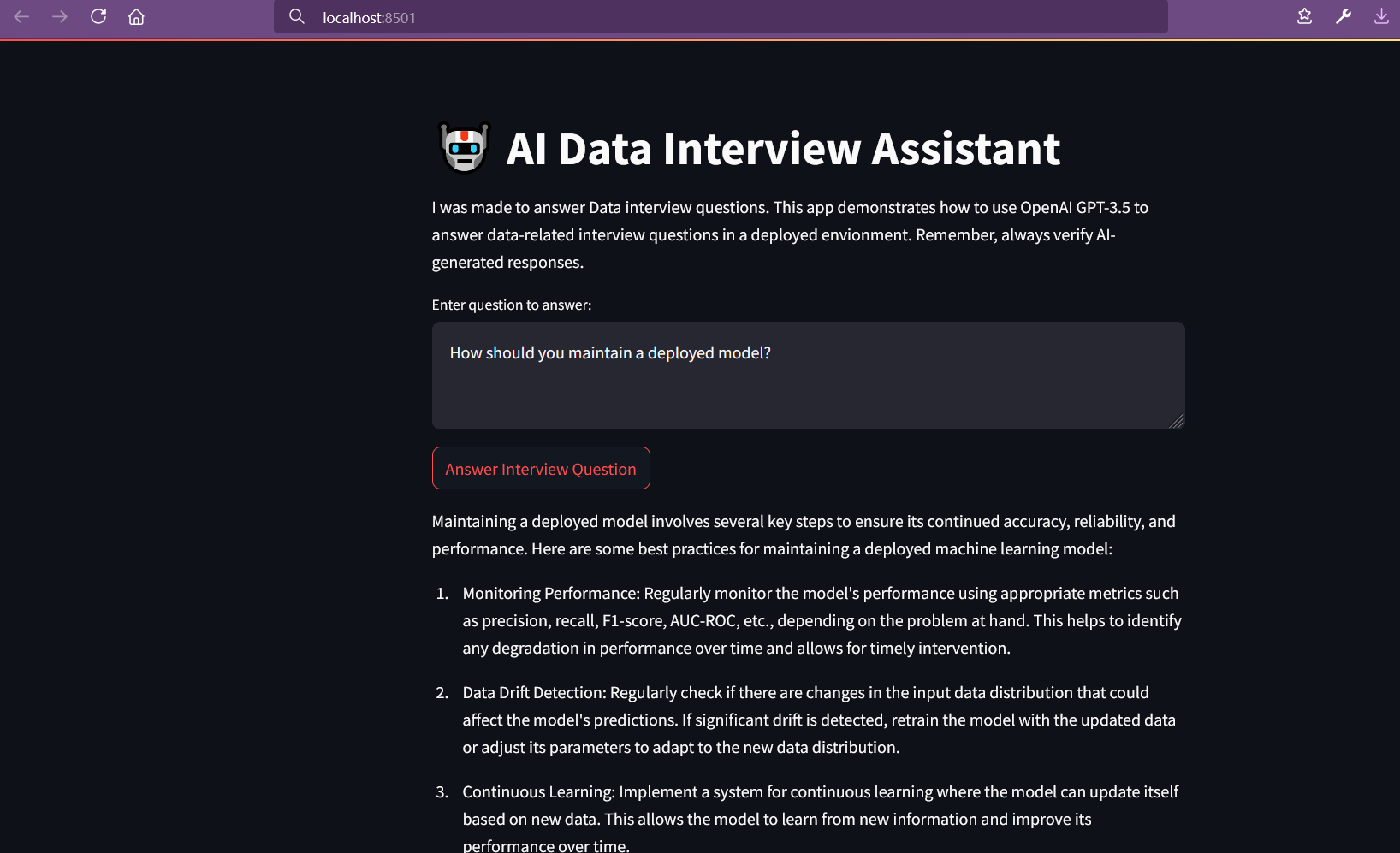
Taking a fun course with Lonely Octopus, I’ve been learning how to use pandas to clean data for analysis, and also how to quickly build a proof of concept/MVP using Streamlit.

Installing Streamlit locally on Windows in Gitbash threw an error:

$ pip install streamlit

WARNING: Failed to write executable - trying to use .deleteme logic
ERROR: Could not install packages due to an OSError: [WinError 2] The system cannot find the file specified: 'C:\Python311\Scripts\watn311\Scripts\watchmedo.exe.deleteme'

“Watchmedo”? Sounded like malware. I got scared and shut off my wifi for a sec. Then I calmed down and decided to run it in a venv instead. Created the venv:

$ python -m venv myenv

Then activate it (I’m using Gitbash for my shell):

$ source myenv/Scripts/activate (or source myenv/bin/activate)

Then try again to install Streamlit and check if it installed properly:

$ pip install streamlit

$ streamlit --version
Streamlit, version 1.36.0

Now the moment of truth — run the little app:

$ streamlit run app.py

You can now view your Streamlit app in your browser.

Local URL: http://localhost:8501


It might also require installing OpenAI, so don’t forget to do that, too. BUT…

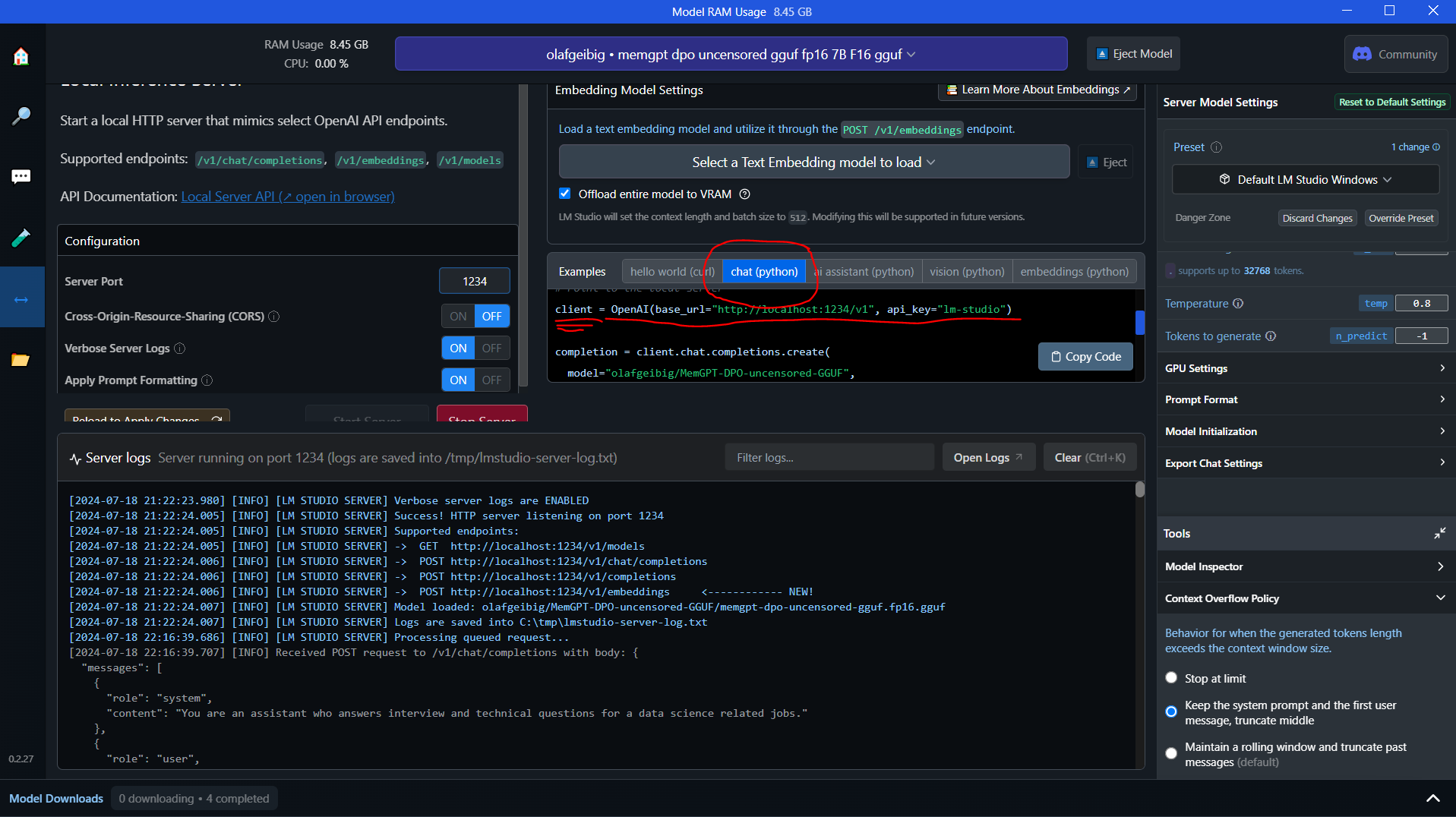
Running LM Studio is something I’m getting a lot more used to now. I’ve been playing with it and AnythingLLM for local document RAG chats.

So you don’t need to call OpenAI’s API — you can point your app at your local LM Studio server!

You have to grab the example code from inside LM Studio under “chat (python)”:

client = OpenAI(base_url="http://localhost:1234/v1", api_key="lm-studio")

Paste that into your Streamlit app.py file, replacing the ‘client’ variable. Make sure the model is loaded up, and that the server is running.

There are tons of settings to consider inside LM Studio. You also need to have enough memory to run the models! LM Studio’s Discord server is a good place to learn more.

JobsTrek app – new dashboard and styling

A big issue with my job tracking app for jobseekers was the terrible colors. “Just build an MVP, don’t worry about aesthetics,” was the vibe that led me to the weird green background color.

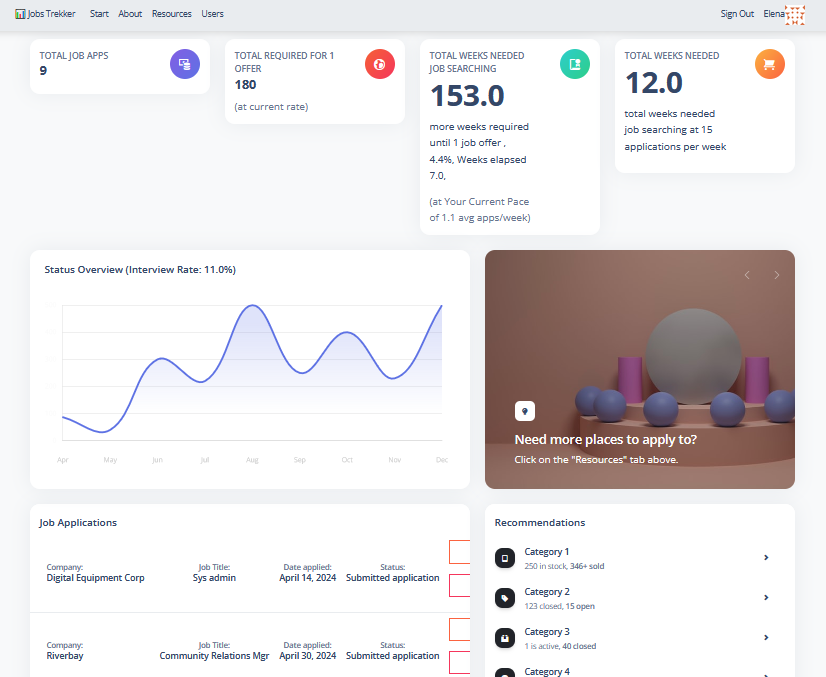
But that’s gone, now that a slick new ‘skin’ has been applied — the Argon dashboard for Django, an open-source package.

There are still a lot of other issues to be fixed, but that was a very pressing one which I think adds some momentum.

The Argon dashboard is installable via pip, so it’s easy to integrate. I wish I had used it from the beginning, because it kinda took over my routing — it assumes you want to use its login page (it has a password reset link and other bells and whistles which I’m not quite ready for yet). A few adjustments to urls.py and it was fixed.

It also comes with a lot of icons that I don’t need and will have to tweak. Overall it’s quite a robust package. If and when I get more users, I’ll pay for the commercial license, where there is also a bit of support via Discord.

Next is mapping the data points on the line graph correctly!

Side project, JobsTrek, YouTube channel

Oh yes, I am officially a YouTuber (cue fanfare.wav). In case you missed it: here’s a video walkthrough of the JobsTrek app. (Discussion of the code starts here.) I was a bit sleepy when I made this one, so let’s just says it’s not exactly electrifying YouTube. But I did enjoy making it! Someday I’ll invest in a proper video editor and make some cuts to these videos.

simple demo of the JobsTrekker Django app

It’s possible that I’ll relaunch once I’ve added an expanded dashboard. I had also started adding a chatbot using the Crisp.ai app integration, so I may again get to work with the OpenAI API…stay tuned.

Working with the Nucamp grads and prospective students again is also rewarding — they are a good group of folks trying to better their lives for their families, and seeing them help one another in the community is awesome.

Deciding whether to go further with the YouTube channel, I was able to host another couple of career workshop sessions for some job training clients from Goodwill NYNJ this month. It’s great to be able to offer my skills and just share my experience with what not to do!

Trying out Ignite with a new Android project

Because I have some free time this evening (wow!) I thought I’d burrito-ify myself in front of the computer and finally make a photo viewer Android app for myself.

Let me back up a bit — since LG stopped making phones, I was forced to get a Motorola phone recently. It’s nice and all, but it doesn’t come with a photo viewer. Which means one must use all the Google apps (file viewer, Photos app, etc) to access one’s files.

This is no bueno.

So naturally I have simply not been opening my files on my phone. Unless someone has sent it to me via SMS or Discord or what have you, where I can view a preview. Or, if I upload it to my Proton storage, I’ll see a preview. (Even VLC Media Player seems to have failed me here — it doesn’t open 95% of the video files I task it with opening, for some reason.)

I got started with a video appropriately titled, “Getting Started With Ignite,” by Jamon Holmgren of Infinite Red. (https://www.youtube.com/watch?v=KOSvDlFyg20)

Install Yarn first if you want to follow this video smoothly (it can be installed via npm).

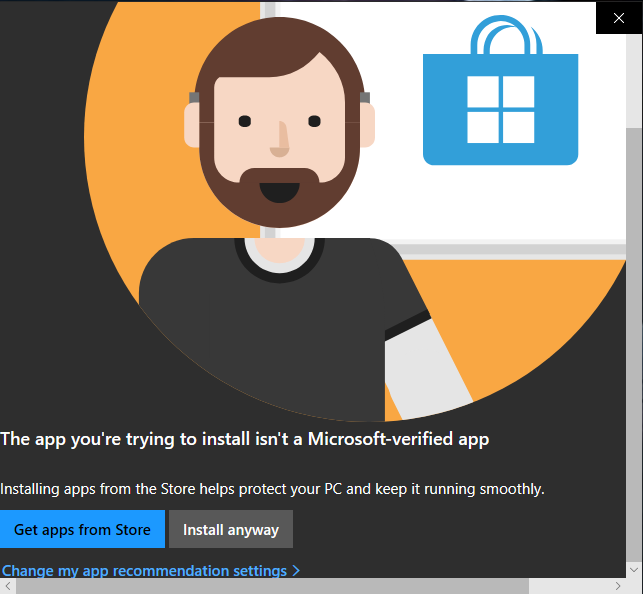
Deciding to upgrade to Node 20.8 to keep pace with the video, I downloaded the msi file from the official Node site, and double-clicked it — I didn’t have any reason not to install it globally on this machine. The usual “Get apps from Store / Install anyway” Microsoft warning appeared, but it had scroll bars; weird.
Windows-install-warning2-Capture
I clicked “Install anyway” several times — nothing happened. Did a dreaded restart. Same thing. So I had to run it from inside PowerShell:

msiexec /i “node-v20.8.0-x64.msi”

Quite irritating, but I thought it was just a fluke/bug.
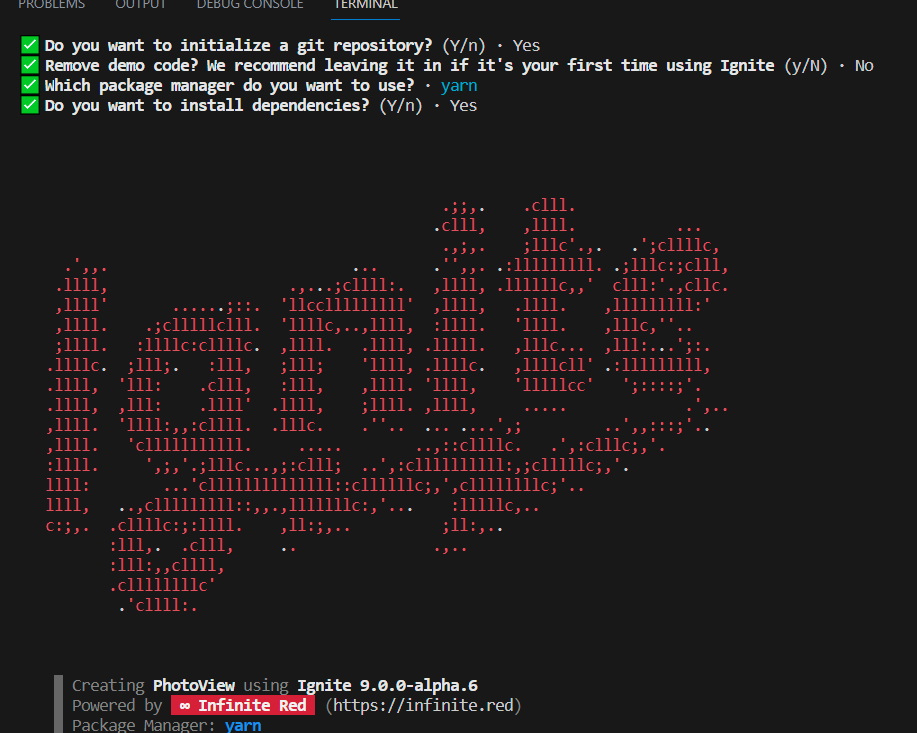
Next was npx ignite-cli@next new PhotoView

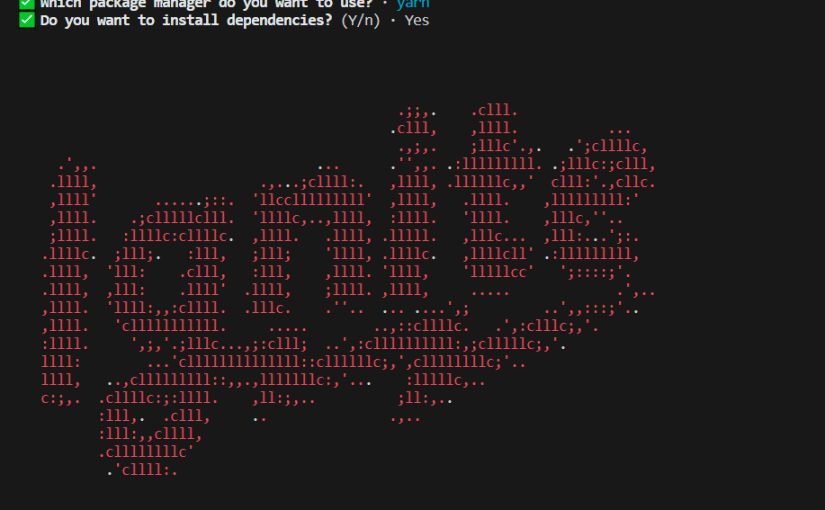
… and selected all the desired settings. I chose all the defaults. I enjoyed the lovely ‘splash screen’:


When I got to ‘yarn android’, the error, ‘Failed to resolve the Android SDK path’ appeared. I remembered that I’d never installed Android studio on this particular computer. Downloading from the official Android homepage, I again ran into the same Windows bug. This time the exe file would not run in PowerShell. My hubby suggested running the Compatibility troubleshooter, which worked, but it seems that the bug can also be bypassed by turning off that warning in the OS settings under Apps & Features > Choose Where to Get Apps.

However, now I’m getting, “Starting Metro Bundler
CommandError: No Android connected device found, and no emulators could be started automatically.”

Yay, new error message!
But I’m ready for bed now… to be continued.
Ok, just kidding…I surfed around Twitter (Xitter?) for a bit, then got my second wind.

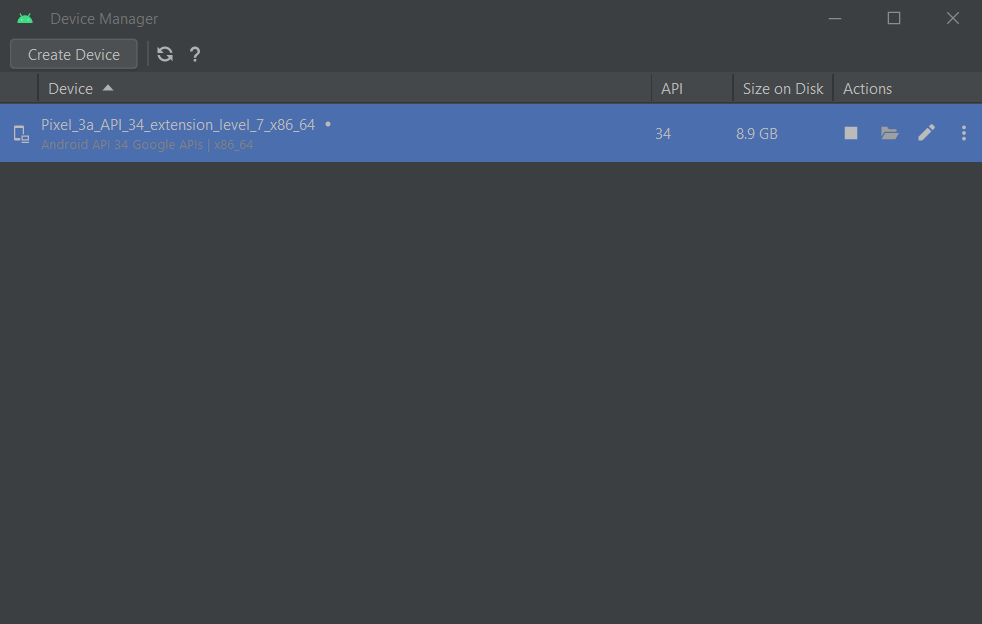
Starting Android Studio, then going into Device Manager and clicking the play button to start the device…

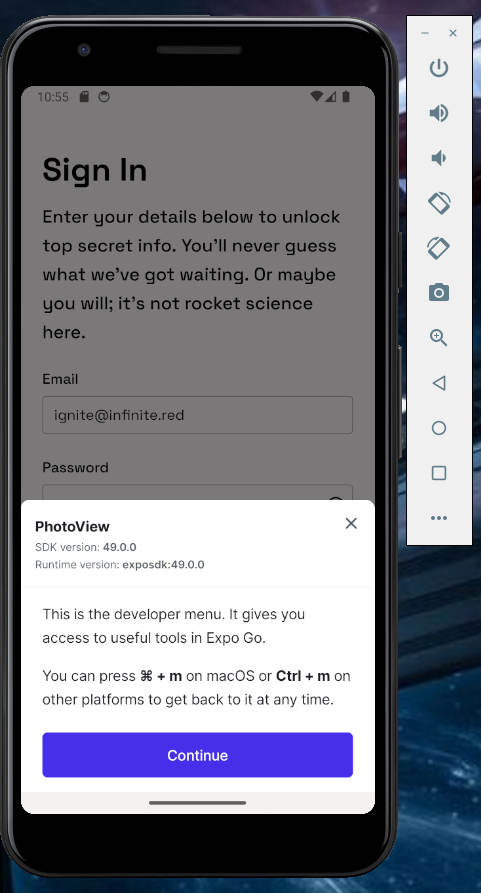
…seems to have worked:

Ignite-boilerplate-emulator

Now to attempt some modifications so I can gradually get a photo viewer… to be continued…

From jQuery to JavaScript Without Tears

Un-possible?

Looking for a cute set of progress bars for my app, I searched around and found a great blog post with a few examples. Originally I had zero intention of using animated progress bars, but they seemed to fit well enough for my needs and actually added a bit of, dare I say, pizazz, to the page.

So I go to play around with the code… aaand it’s jQuery.

facepalm, the other Picard maneuver

On a positive note, usually I can tell what’s going on in jQuery, as if reading psuedocode. It feels sort of like guessing what a Spanish billboard says as an English speaker (to me, anyway). I suppose the faster way to move forward with my project would have been to just import some jQuery via CDN, but I decided that I wanted to fully understand what was going on, and thus decided to rewrite it in plain JavaScript.

“Mayhaps, in the span since first we met, an AI hath vanquished thee, mighty jQuery,” I said to my screen as I Googled “jQuery to JavaScript converter.”

Surprisingly, there was a tool which actually did something, or enough to get me started. Despite some very strange copy on their page, the WorkVersatile converter did deliver on their promise of only “some errors” after conversion.

The original jQuery:

$(".animated-progress span").each(function () {
$(this).animate(
{
width: $(this).attr("data-progress") + "%",
},
1000
);
$(this).text($(this).attr("data-progress") + "%");
});

… and the invalid JavaScript output:

document.querySelectorAll(".animated-progress span").each(function () {
this.animate(
{
width: this.attr("data-progress") + "%",
},
1000
);
this.innerText = this.attr("data-progress" + "%");
});

My end product; instead of innerText, I used the Django template to fill in the element’s text:

document.querySelectorAll(".animated-progress span").forEach(ele => { 
  
  ele.animate(
  [
    { width: ele.getAttribute("data-progress") + "%", },
  ], 
    {
      duration: 1000,
      fill: "forwards"
    }
  );

});

Testing in Django, or “How long has that been broken?”

When the phrase, “how long has that been broken?” enters into your vocabulary, it’s probably past time to add tests to your project.

Finally got my tests going with some momentum. I’ve also adjusted the dashboard view a bit over at JobTrek; although I’m lacking time to design a UI, at least it looks a bit better now. (Leave a comment if you think I shouldn’t wait to find another Bootstrap theme.) And dear Lord help me, I’ve bought a domain name and even coughed up the $7 for the Heroku Hobby plan with SSL.

I’d learned some basics in the Kickstart Coding course, but couldn’t get my basic tests to pass. Turns out I’d been adding my tests to the wrong tests.py file, in the wrong app directory. Hopefully this blog post will save some random person out there from making the same mistake!

Another beginner issue for me was testing templates and content for anonymous versus authenticated users — more on that in my next post.

For some good, free content on testing in Django, check out VeryAcademy’s series on YouTube.

The J.O.B. search continues — is there an app for that?

The fun-employed phase has lost its luster; I’m not quite at the soy-sauce-over-rice-for-dinner stage, but let’s just say it’s crunch time. Now firing off apps left and right, sending LinkedIn DMs, and contacting recruiters and former co-workers is the daily grind.

In side project news, I’ve abandoned SelfWars and all those Vuetify components. Also, I’m finally digging in to SQL joins (studying via Kickstart Coding,) after avoiding it like the plague for so long.

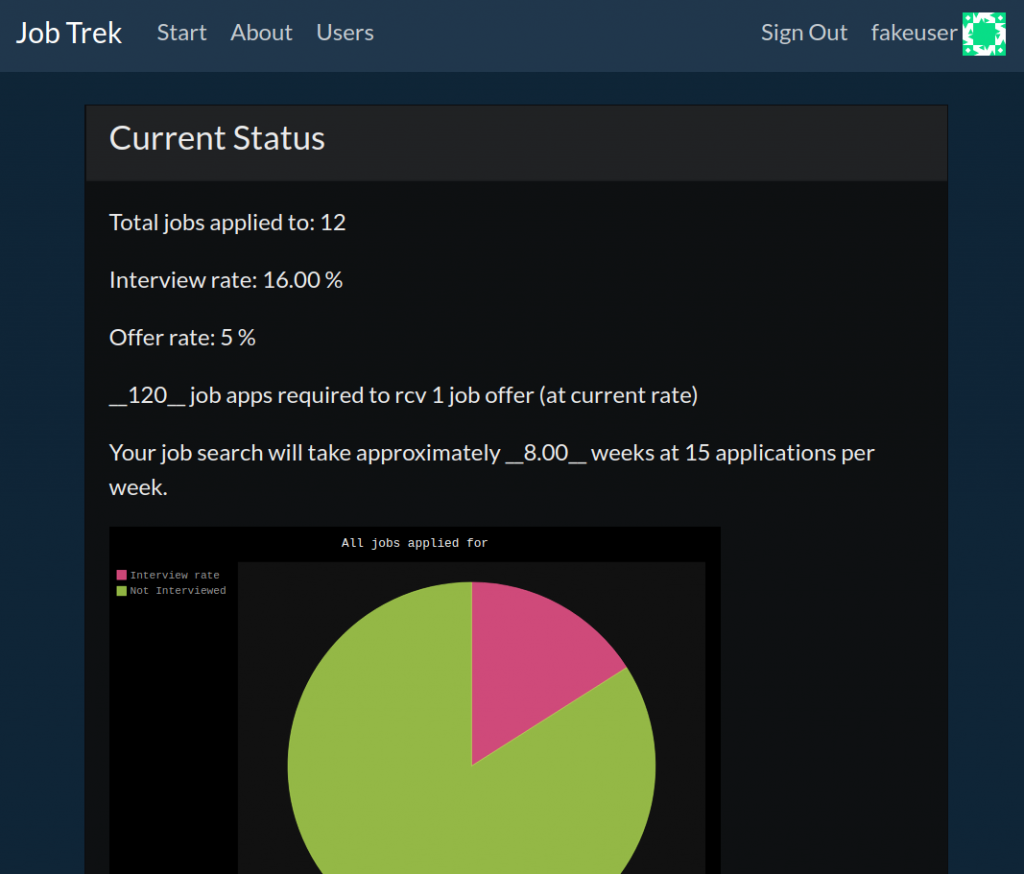
Lately been building a job search progress bar web app in Django. Fun, fun, fun! Wanna take a sneak peek?

“Your search will take approximately 8 weeks”

Step 1: register — I know, I know (a user story for anonymous sessions is on my plate)

Step 2: add some jobs you’ve applied to, using the simple form

Step 3: view your interview rate percentage and offer rate percentages on a handy pie chart (more graphs are planned)

See if your interview rate is around at least 15%, and see approximately how long your search will take. Based on lovely research from TalentWorks.

I know I said ‘progress bar,’ but for now it’s in the form of a pie chart; hey, who dun’ like pie?

I realized I was giving all this ‘daily grind’ advice out to Nucamp students, but when folks see in starkly-presented numbers just how long their job search could take at a certain pace, I think it’s got the potential to be an illuminating kick in the pants.

Downshift: Transitioning and the Career Twisties

My online presence currently projects as a Web Developer, and my current resume still rings more communications- and marketing-heavy. Really though, I am more of a learner, trying to find learning opportunities which will also pay my bills. But transitioning for the career-changer is not for the faint of heart.

Why did I feel the need to make a change? Upon moving with my husband’s job to Hawaii, I found the Hawaii job market to be very tough. There was nothing approaching my previous salary in New York. And it turns out, getting a good job in Hawaii is very, very much based on having friends in the right places. I made a new friend who gave me local cleaning jobs, and I also did a few temp gigs.

Reasoning that companies in other states would have more openings, I began searching remote job boards. I discovered that the higher-paying remote job listings were for developers, and I found out my dad had also been studying Python and other languages when he passed away, so that sealed my decision to study programming. But I had no idea what to study and actually started out with Python.

After a year of stops and starts (not to mention life drama, as it is wont to do, happening,) I realized I should have been focused on web dev! Yet another 6 months later, I realized that I might have benefited most from the regimentation of a bootcamp. I seriously considered attending a bootcamp out of state, but that would mean leaving home and my husband for months, and I learned that even bootcamp grads have to leave Hawaii to find entry-level work.

Just as the talent saturation of the Bay Area was a big factor in protracting  Patrick Thompson’s (YouTube) job search, the Honolulu area suffers from the opposite: many tourism-related jobs, but not many tech companies featuring entry-level opportunities. Transitioning for the career-changer after a certain age also adds an extra layer of difficulty, since there is competition with shiny new grads for the few positions that are available.

Acceptance and Failing Forward

Still doing the cleaning jobs, and I have a couple of job applications in review. If they get rejected I might wrap up my efforts to enter the web dev employment track. I am proud of all that I’ve learned, but basically I wasted 2 whole years trying to get a remote, entry-level web dev job — something that is still pretty rare! But failure can help you find different approaches and is good for your brain! I am viewing this not as a total fail, but as extremely valuable experience.

For example, I attended meetups and enjoyed working with some great people on a fun internship. Meeting a lot of kind folks in the Twittersphere has also been an unexpected bonus. I learned some essential tools, and learned what I didn’t want to work on!

Also, WordPress freelancing was supposed to be a stop-gap measure until I found a permanent job, but I have learned more about WordPress over the past year than in the previous 5 years as a mere user. I might attempt to go the freelance route. This is something I might not have considered a few years ago.

Lastly, I’ve had a lot of fun — many nights I have had to tear myself away from VS Code and go to bed! I even started a side project which might eventually earn some ad and affiliate revenue. A lot of developers will tell you that they don’t code 24/7, but rather have hobbies such as cooking or sports. So it seems natural that I can have coding as a hobby.

Hindsight Which Might Help Other Career-Changers

In hindsight, transitioning as a career-changer was not even something I could have attempted without the support of my husband. Not knowing what I was getting myself into was probably for the best! If I could go back in time and get a do-over, I would try to secure a remote job with a New York company before leaving New York and relocating to Hawaii. New York has such a diversified economy compared to Hawaii, and there are just way more opportunities available. Also, there seems to be an unfortunate perception of Hawaii residents as beach bums who don’t work, not to mention many mainland companies don’t want to complicate their payroll by hiring out-of-state.

Another thing I could have done differently is studying for the jobs where there is demand, not just studying whatever is interesting. I found Python to be a lot more accessible than JavaScript as a newbie, so that’s what I gravitated towards. Nothing wrong with that, if I had also learned Django. I played with Android Studio (Java) because I wanted to try making a mobile app. I took pre-courses for Lambda School (JS) and AppAcademy (Ruby), instead of just working on my own learning projects. Jumping around so much exploring different technologies, it took me much longer to gain enough skill in one language to pass a coding challenge. There is a confusing amount of stuff out there to learn and without a guide — it is tough to know what to focus on. So I’d say just pick a track/stack and start checking the subjects off one by one.

Which brings me to the final hindsight which I hope someone out there may find useful; having someone to guide you. I really didn’t know exactly what I wanted to do; I just thought I might be good at coding since I like solving problems. Looking at a job board, I had no idea what the difference was between a Web Developer, a Front End Engineer, and a Full-Stack Developer. And I was actually interested primarily in software development and machine learning at first. Having a knowledgeable person to talk to about these tracks might have helped me narrow things down sooner and save a lot of time and energy.

I still have a few job applications out there under consideration, so I will update again later…